What Is the HTTP Request-Response Model?
Lesson Overview
The HTTP request-response model is the fundamental communication pattern that powers the World Wide Web (WWW). It has many components that make it efficient, so we can all access materials from the...
The HTTP request-response model is the fundamental communication pattern that powers the World Wide Web (WWW). It has many components that make it efficient, so we can all access materials from the web.
Let’s look at what the HTTP request-response model is, the components that make it up, and how those components work together to bring efficiency into what powers the web.
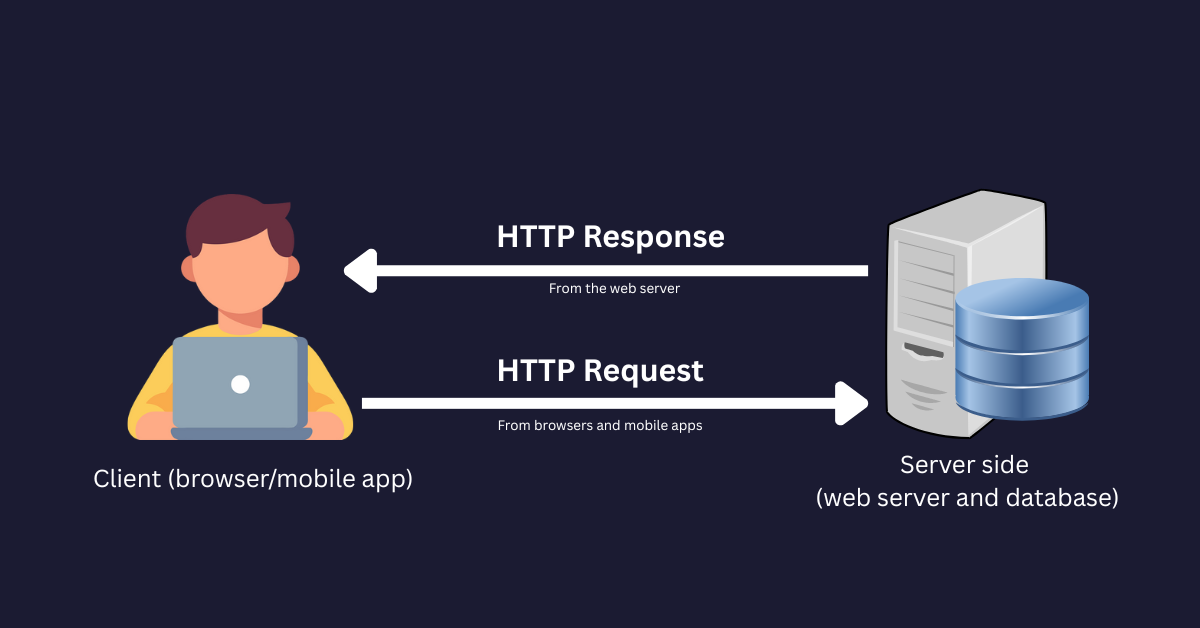
The HTTP request-response model is a communication pattern in web interactions in which a client, usually a web browser, sends an HTTP request to a server, and the server processes the request and sends back an HTTP response.
Here are the components that make up the HTTP request-response model:
-
Client: A browser, mobile app, or any other software that sends HTTP requests to the server and interprets the HTTP responses it receives back.
-
Request: The message sent by the client to the server. It includes the method, URL, headers, and an optional body.
-
HTTP method: The action to perform —
GETfor retrieving data,POSTfor sending data,PATCHandPUTfor modifying data, andDELETEfor removing data. -
URL (Uniform Resource Locator): The resource being requested from the server.
-
Headers: The metadata sent with the request or response. For example,
Content-TypeandAuthorization. -
Body: The data sent with the
POST,PUT,PATCH,DELETErequests, often in JSON or form data format. -
Server: The back-end system that processes the request and generates a response. It can be written in any programming language that supports server-side programming.
-
Response: The message sent back by the server. It contains a status code, headers, and an optional body.
-
Status Code or Response Code: A numeric code indicating success, errors, or redirects.
-
Response Body: The actual data sent back, typically in HTML, JSON, or XML format.
So how do all these components work together in the HTTP request-response cycle?
-
The Client Initiates a Request
-
A browser, mobile app, or API client sends an HTTP request meant to reach the server.
-
The request includes a method like
GET,POST,PUT,PATCH,DELETE, URL, headers, and sometimes a body.
-
-
The Request is Sent to the Server
-
The request travels over the internet to the server, a back-end system written with a programming language.
-
The server receives the request and extracts relevant information from it.
-
-
The Server Processes the Request
-
The server checks the request method and URL.
-
It may need to validate authentication (via headers like authorization).
-
If needed, it interacts with a database to fetch or modify the data.
-
-
The Server Prepares a Response
-
The server generates a response with a status code like 200, 404, 500, and so on.
-
The response includes headers, for example,
Content-Type: application/json. -
If applicable, a response body in either JSON, HTML, or XML is added.
-
-
The Response is Sent to the Client
-
The server sends the response back over the internet.
-
The client receives the response and processes the data.
-
-
The Client Handles the Response
-
If the response is successful (status code 200), the client displays the data, for example, renders the data on a webpage.
-
If an error occurs (
404 Not Found,500 Internal Server Error, and so on), the client may show an error message.
-
This cycle repeats for every new request the client makes.
Here’s a diagram that simplifies this process: